> ## Documentation Index
> Fetch the complete documentation index at: https://docs.kodeflowstudios.com/llms.txt
> Use this file to discover all available pages before exploring further.

# Graph Nodes

> Reference for the Parley Graph Nodes, all the node types that make up a conversation.

A Parley conversation is a single `.kfpg` Graph file with a `StartNode`, `DialogueNodes` and an `EndNode`. Files live under `Resources/{languageEnglishName}/{folderName}/{langCode}.{fileName}.kfpg`.

## A complete graph
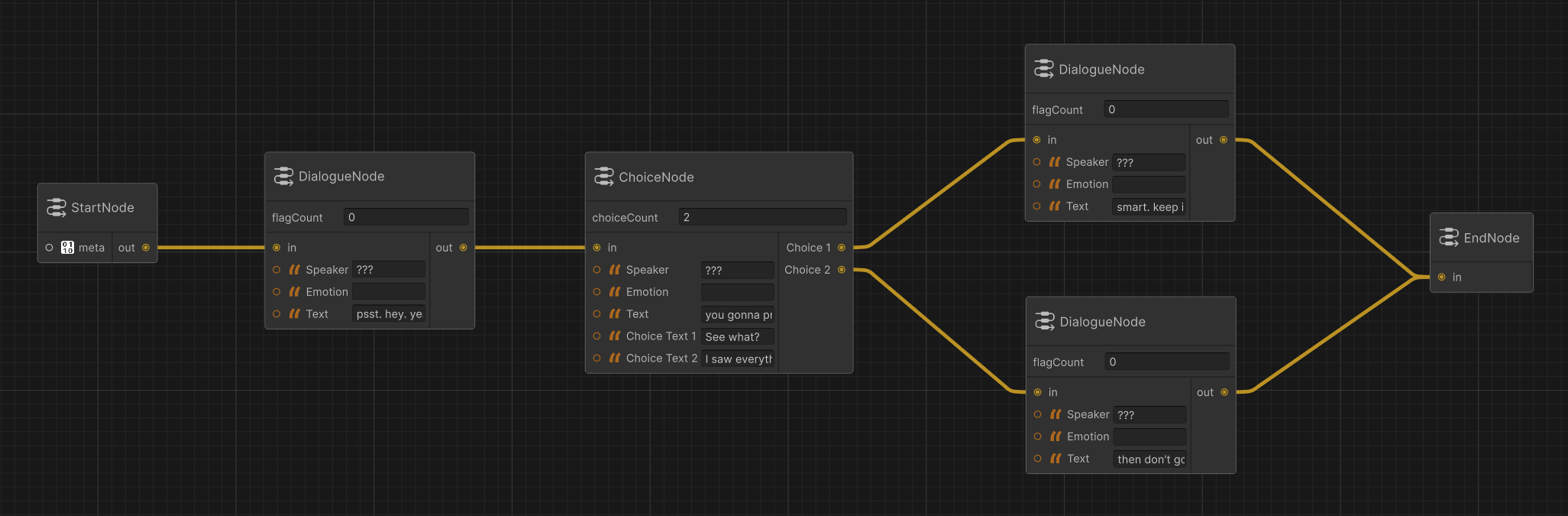
![Sample Graph](https://cortado-bucket.lon1.cdn.digitaloceanspaces.com/dohttps://cortado-bucket.lon1.cdn.digitaloceanspaces.com/docs/resources/images/Parlite/parlite_example_graph.png)

The rest of this page documents each node type in detail.

## Node Types

### Meta Node

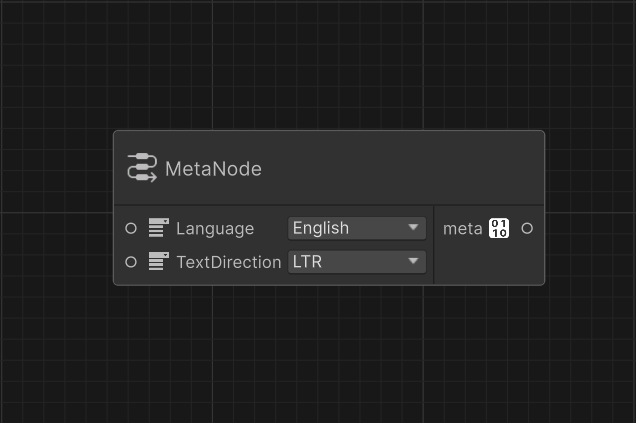
Handles language and reading direction for the file. Used by Parley at load time and and used for UI layout decisions.
![Meta Node](https://cortado-bucket.lon1.cdn.digitaloceanspaces.com/dohttps://cortado-bucket.lon1.cdn.digitaloceanspaces.com/docs/resources/images/Parlite/parlite_reference_meta_node.png)

<ParamField path="Language" type="LanguageID" required>
  The language this file is authored in. See [LanguageID](/parlite/reference/scripting/localization/language-id).
</ParamField>

<ParamField path="TextDirection" type="TextDirection" required>
  Reading direction. `LTR` or `RTL`. See [TextDirection](/parlite/reference/scripting/localization/text-direction).
</ParamField>

<ParamField path="meta" type="MetaData" default="Fallback MetaData">
  The MetaData for the current file. Connected to a `MetaData` utility node.
</ParamField>

### Start Node

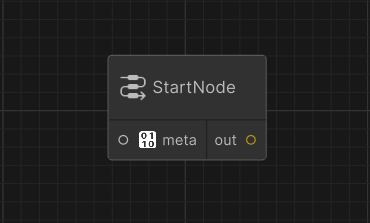
Marks the beginning of the file, and handles metadata.
![Start Node](https://cortado-bucket.lon1.cdn.digitaloceanspaces.com/dohttps://cortado-bucket.lon1.cdn.digitaloceanspaces.com/docs/resources/images/Parlite/parlite_reference_start_node.png)

**Ports**

<ParamField path="meta" type="MetaData" default="Fallback MetaData">
  The MetaData for the current file. Connected to a `MetaData` utility node.
</ParamField>

<ParamField path="out" type="output" required>
  The output connection for the next node.
</ParamField>

### Dialogue Node

Spoken dialogue. The most common node type.

**Plain dialogue**

![Standard Dialogue Node](https://cortado-bucket.lon1.cdn.digitaloceanspaces.com/dohttps://cortado-bucket.lon1.cdn.digitaloceanspaces.com/docs/resources/images/Parlite/parlite_reference_dialogue_node_standard.png)

**With flags**

![Dialogue Node with Flags](https://cortado-bucket.lon1.cdn.digitaloceanspaces.com/dohttps://cortado-bucket.lon1.cdn.digitaloceanspaces.com/docs/resources/images/Parlite/parlite_reference_dialogue_node_flags.png)

**Ports**

<ParamField path="in" type="input" required>
  The input connection from the previous node.
</ParamField>

<ParamField path="flagCount" type="int" default="0">
  Number of flags on the current node.
</ParamField>

<ParamField path="Speaker" type="string" required>
  Who's talking.
</ParamField>

<ParamField path="Emotion" type="string">
  How they feel.
</ParamField>

<ParamField path="Text" type="string" required>
  What they say.
</ParamField>

<ParamField path="out" type="output" required>
  The output connection for the next node.
</ParamField>

<ParamField path="Set Flag X" type="string">
  The flag `X` to be set.
</ParamField>

### Choice Node

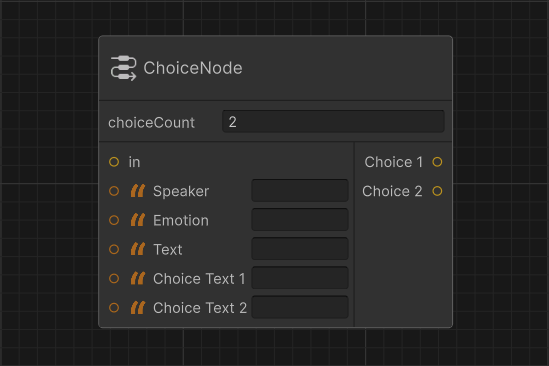
A dialogue node that presents the player with options. Same as a Dialogue Node but with a `Choices` list. When `Choices` is populated, `NextNode` on the parent is ignored and is prefered to not be set as it is semantically incorrent. The player's selection determines the next node.
![Choice Node](https://cortado-bucket.lon1.cdn.digitaloceanspaces.com/dohttps://cortado-bucket.lon1.cdn.digitaloceanspaces.com/docs/resources/images/Parlite/parlite_reference_choice_node.png)

<ParamField path="in" type="input" required>
  The input connection from the previous node.
</ParamField>

<ParamField path="Speaker" type="string" required>
  Who's prompting the choice.
</ParamField>

<ParamField path="Emotion" type="string">
  Optional emotion tag.
</ParamField>

<ParamField path="Text" type="string" required>
  The prompt itself.
</ParamField>

<ParamField path="choiceCount" type="int" default="2">
  <Expandable title="choice fields" defaultOpen>
    <ParamField path="Choice Text X" type="string" required>
      Text for the Choice `X`.
    </ParamField>

    The number of choices for the current node.

    <ParamField path="Choice X" type="output" required>
      Next node for the Choice with the index `X`.
    </ParamField>
  </Expandable>
</ParamField>

### Branch Node

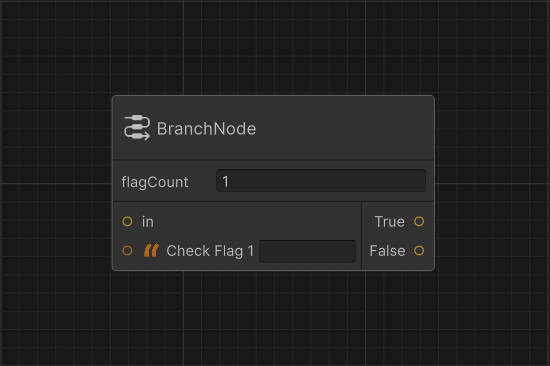
A utility node that routes to one of two targets based on flag state. Branch nodes have no speaker or text. They're invisible at runtime, used for control flow.
![Branch Node](https://cortado-bucket.lon1.cdn.digitaloceanspaces.com/dohttps://cortado-bucket.lon1.cdn.digitaloceanspaces.com/docs/resources/images/Parlite/parlite_reference_branch_node.png)

<ParamField path="in" type="input" required>
  The input connection from the previous node.
</ParamField>

<ParamField path="flagCount" type="int" default="0">
  Number of flags on the current node.
</ParamField>

<ParamField path="Check Flag X" type="string" required>
  Flag `X` that must be set for the True branch.
</ParamField>

<ParamField path="True" type="output" required>
  Node to advance to when all flags are set.
</ParamField>

<ParamField path="False" type="output" required>
  Node to advance to otherwise.
</ParamField>

Branch nodes are also how you build loops — point `False` back to an earlier node in the conversation to create a loop.

### End Node

Marks the beginning of the file, and handles metadata.
![End Node](https://cortado-bucket.lon1.cdn.digitaloceanspaces.com/dohttps://cortado-bucket.lon1.cdn.digitaloceanspaces.com/docs/resources/images/Parlite/parlite_reference_end_node.png)

**Ports**

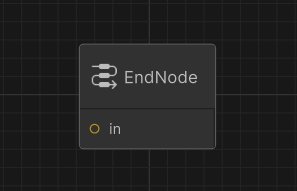
<ParamField path="in" type="input" required>
  The input connection from the previous node.
</ParamField>
